Best AI Tools in India 2026 — INR Pricing, Free Plans & Honest Rankings
By Navneet Arya · 🕒 8 min read
Affiliate links: AI Nexus may earn a commission at no extra cost to you. How we pick.
What Are the Best AI Tools in India in 2026?
The best AI tools in India in 2026 are Rytr for writing, Grammarly for editing on a forever free plan, and Canva AI for design. Perplexity offers research with cited sources on its free tier, and Leonardo.ai gives free AI image generation. Local payment support and INR billing matter as much as raw features for most of these picks.
Every one of these works without a dollar card, a VPN, or a hidden USD-only paywall.
Every "best AI tools" roundup I've read lists prices in USD. It assumes you're paying with a US card. It doesn't mention GST once. As someone running an AI tools site from Noida, I kept getting the same questions from readers.
Does this work in India? What's the actual INR price? Do I need a VPN? Can it write in Hindi?
| Tool | Category | INR Price | Free Plan |
|---|---|---|---|
| Rytr | Writing | ~₹750/mo | Yes — 10,000 chars/mo |
| Grammarly | Editing | Free forever | Yes — unlimited grammar checks |
| Canva AI | Design | ~₹333/mo | Yes — limited AI credits |
| Perplexity | Research | Free | Yes — cited answers, no VPN needed |
This guide answers those questions exactly. Every tool below is easy to use from India without a VPN. Each has been checked for INR pricing at checkout, with honest notes on Hindi and regional language support where relevant.
💡 Pro Tip: Always check the final price at checkout, not the listed price. Most of these platforms add 18% GST for Indian billing addresses at the last step. That can turn a "₹630/month" plan into ₹750 once the tax applies.
1. Rytr : Best AI Writing Tool for Indian Creators
Category: Writing · Free: 10,000 chars/month · Paid: ~₹750/month (Saver) · ~₹1,660/month (Unlimited).
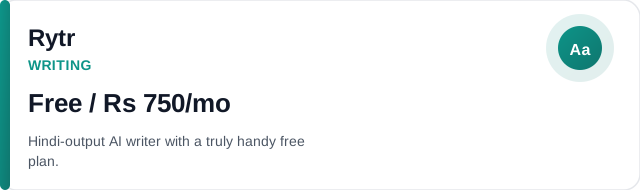
Rytr is the most handy AI writing tool for Indian creators for three reasons. It has a genuine free plan, it supports Hindi output, and its paid plan is priced accessibly in Indian rupees.
The Saver plan at around ₹750/month (pricing varies slightly with exchange rate) gives you unlimited characters. That's more than enough for daily blog posts, social media content, or freelance writing work. Read the full Rytr review for a deeper feature breakdown.
The Hindi support is worth testing before you buy: set the output language to Hindi in the Language dropdown, paste a topic, and Rytr generates Hindi content directly.
The quality is usable for drafts and short social posts, though it reads more like translated English than natural Hindi prose. For English content creation, Rytr is always strong and competes with tools that cost 3–4x more.
Free plan reality: 10,000 characters/month is truly useful, enough for two 600-word blog posts or around 20 Instagram captions. No credit card required to sign up.
GST note: GST is added at checkout on the paid plan. Budget about 18% over the listed price.
Ad disclosure: we may earn a fee at no extra cost to you.
2. Grammarly : Best AI Editing Tool (Permanently Free)
Category: Writing · Free: Unlimited grammar checking · Pro: ~₹999/month (billed annually).
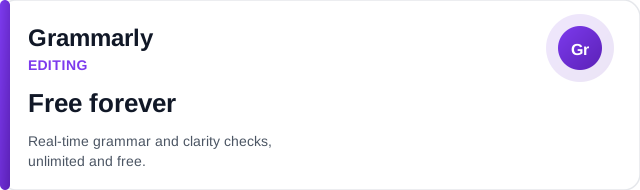
Grammarly's free plan is the highest-value free AI tool available to Indian users. The browser extension works across Gmail, Google Docs, LinkedIn, and most web-based editors.
Every piece of writing you produce in English gets real-time grammar, spelling, and clarity suggestions with zero character limit on the free tier. See our full Grammarly review for the complete feature list.
Grammarly Pro adds tone detection, vocabulary suggestions, and a plagiarism checker. Grammarly Pro costs about ₹999/month billed annually. Check the final price at checkout, since exchange rates shift. It's worth it if you write client-facing content professionally. For students and casual writers, the free plan handles everything you need.
Hindi support: Grammarly checks English only. It will not correct Hindi text.
Payment: Accepts Indian debit cards, credit cards, and UPI-linked payment methods in most cases. If your card is declined, try the Grammarly app via the Google Play Store. It uses Google Play's payment system, which handles Indian payment methods reliably.
Ad disclosure: we may earn a fee at no extra cost to you.
3. Canva AI : Best Free Design Tool with AI Features
Category: Design · Free: robust free plan · Pro: ~₹3,999/year (~₹333/month equivalent).
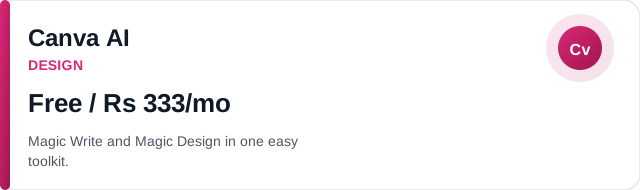
Canva is already widely used in India, and its AI features are available on both free and Pro plans. That includes Magic Write (text generation), Magic Design (template generation from prompts), Magic Eraser (background removal), and AI image generation.
For Indian social media creators, small businesses, and students, Canva AI is the most handy design tool on this list. Read the full Canva AI review for more on Magic Design.
Magic Write supports Hindi reasonably well when prompted in Hindi, though you'll want to proofread the output. The design templates are especially good for Instagram posts, YouTube thumbnails, and school materials, all common use cases for Indian creators.
At ₹3,999/year for Pro (about ₹333/month), Canva Pro is the best-value premium design tool for Indian users. It includes 100+ million stock photos, videos, and audio assets, plus Magic Resize for on its own reformatting designs across platforms.
GST note: Canva typically adds 18% GST for Indian subscribers. The annual Pro plan works out to about ₹4,700 after GST.
Ad disclosure: we may earn a fee at no extra cost to you.
4. Perplexity : Best AI Research Tool (Free Plan is Truly Excellent)
Category: Research · Free: unlimited searches · Pro: ~₹1,660/month.

Perplexity is an AI search engine that answers questions by reading current web sources and citing them. For Indian students, researchers, and freelancers who need accurate, up-to-date information, it is a lot more useful than a standard search engine for research tasks. See our full Perplexity review for more.
The free plan gives unlimited basic searches, so you can use it every day for research without paying anything. Perplexity Pro unlocks advanced models (GPT-4o, Claude) and higher-quality answers, but the free tier is truly powerful for everyday research and fact-checking.
One handy use for Indian users: Perplexity handles Indian-specific topics well. Think GST rules, SEBI regulations, and UPSC preparation content. That's because it searches current web sources rather than relying purely on training data.
No VPN needed: Fully easy to use from India. The free plan requires only an email signup.
Ad disclosure: we may earn a fee at no extra cost to you.
5. Leonardo.ai : Best Free AI Image Generator
Found this useful?
Share it with someone deciding between AI tools, or get new comparisons like this in your inbox.
Category: Image · Free: 150 credits/day · Paid: from ~$12/month (no INR pricing now).

Leonardo.ai offers the most generous free AI image plan available: 150 credits per day. That's roughly 30–50 images daily, depending on settings. No credit card required. The image quality rivals Midjourney for most use cases, and the browser-based interface works from India without any restrictions. Read the full Leonardo.ai review for sample outputs.
For Indian creators making social media graphics, YouTube thumbnails, blog cover images, or presentation visuals, Leonardo's free plan covers most daily needs without any cost. The paid plan is now USD-only, but the free tier is substantial enough that most Indian creators won't need to upgrade.
Hindi prompts: Leonardo accepts prompts in English. It can generate images depicting Indian cultural contexts, Indian fashion, and Indian settings when described exactly in English prompts.
Ad disclosure: we may earn a fee at no extra cost to you.
6. Gamma : Best Free AI Presentation Tool
Category: Design/Presentations · Free: 400 AI credits · Paid: ~$10/month (USD only).
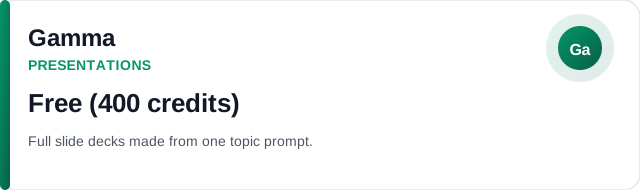
Gamma generates complete, visually polished presentations from a topic prompt in under 2 minutes. For Indian students, educators, and startup founders who regularly need slide decks, this is the fastest tool on this list for producing professional-looking presentations. See the full Gamma review for template examples.
The free plan includes 400 AI credits, enough for 4–5 full presentations. After that, extra credits require a paid plan. The output quality beats what most people produce manually in PowerPoint or Google Slides. It also handles Indian school and business topics well.
Use case for India: UPSC preparation notes, college project presentations, startup pitch decks, and teacher lesson materials are all strong use cases where Gamma saves substantial time.
Ad disclosure: we may earn a fee at no extra cost to you.
7. Notion AI : Best AI Productivity Tool for Notes and Planning
Category: Productivity · Free Notion: available · AI add-on: ~₹660/month.
Notion is a notes and project planning tool, and the Notion AI add-on gives you AI writing, summaries, and Q&A inside your existing Notion workspace.
If you already use Notion for notes, study planning, or freelance project planning, the AI add-on is a low-cost way to extend your workflow. It runs about ₹660/month. Read the full Notion AI review for setup details.
For Indian students managing multiple subjects, Notion AI can summarise lecture notes, generate quiz questions from content, and write structured study plans on command. For freelancers, it drafts project proposals and client update emails directly from your project notes.
Ad disclosure: we may earn a fee at no extra cost to you.
8. Taskade : Best Free AI Project Management Tool
Category: Productivity · Free: full-featured free plan · Paid: from ~₹650/month.
Taskade combines task planning, notes, and AI generation into one tool. The free plan is truly full-featured: you get AI-generated task lists, project plans, and workflow templates without paying.
For Indian freelancers managing multiple client projects, or students tracking coursework, Taskade's AI Workflow Generator is one of the most almost useful free AI features available. Describe a project and it returns a full task breakdown. See the full Taskade review for more.
The paid plan unlocks unlimited AI usage, but the free tier covers most personal and small-team needs.
Ad disclosure: we may earn a fee at no extra cost to you.
AI Tools with the Best Free Plans for Indian Users
If you want to build an AI stack with zero cost to start:
- Grammarly: Unlimited grammar checking, free forever.
- Perplexity: Unlimited research searches, free forever.
- Rytr: 10,000 characters/month (1–2 blog posts), no credit card.
- Leonardo.ai: 150 image credits/day, no credit card.
- Canva AI: Magic Write + Magic Design on free plan.
- Gamma: 400 AI presentation credits on signup.
- Taskade: Full-featured free project planning with AI.
Start with Grammarly. Install the browser extension today; it improves everything you write right away. Then add Perplexity to replace your Google searches for research tasks. These two tools alone, both free, will noticeably improve your daily output quality and research speed within the first week.
INR Pricing Quick Reference
| Tool | Free Plan | Approx. INR/month | Hindi Support |
|---|---|---|---|
| Rytr | 10K chars/month | ₹750 (Saver) | Yes ✓ |
| Grammarly | Unlimited grammar | ₹999 (Pro) | English only |
| Canva AI | Magic Write + Design | ₹333 (Pro annual) | Partial ✓ |
| Perplexity | Unlimited searches | ₹1,660 (Pro) | Understands Hindi queries |
| Leonardo.ai | 150 credits/day | USD only | English prompts |
| Notion AI | Notion free | ₹660 (AI add-on) | Yes ✓ |
| Taskade | Full AI features | ~₹650 (paid) | Yes ✓ |
| Gamma | 400 AI credits | USD only | English prompts |
More India-Specific Guides
This guide covers the full AI stack for Indian users. If you're looking for something more specific, these two guides go deeper:
- Best Free AI Tools for Students in India 2026: Every tool has a permanent free plan that works without a VPN or dollar card. Covers essays, research, presentations, and coding with INR pricing notes.
- Best AI Tools for Indian Freelancers 2026: Built exactly for freelancers billing in INR. Covers writing, design, project planning, and client chats tools with honest ROI calculations.
Final Verdict: Where to Start as an Indian Creator
If you're new to AI tools and based in India, here's the exact order I'd recommend:
- Day 1 (free, 10 minutes): Install the Grammarly browser extension. Every email and document you write in English improves right away at zero cost.
- Day 2 (free, 5 minutes): Sign up for Perplexity. Replace your Google searches for research, fact-checking, and summary tasks.
- Week 1 (free, 15 minutes): Sign up for Rytr's free plan. Use it to draft your next blog post, social caption, or client proposal. See if it saves you time on a real task before deciding whether to upgrade.
The AI tools market in India is growing fast, and INR pricing options are improving every month.
Indian creators have a real advantage right now. Competition for India-specific AI content — reviews, comparisons, tutorials written from an Indian perspective — is nearly zero. That gap won't last.
Our verdict: start with Perplexity Pro.
Try Perplexity Pro →Related reading: Best Nano Banana Pro Alternatives 2026 (And When to Actually Use Each One), Best AI Tools for Teachers in 2026, Best Free AI Logo Makers in 2026.
Frequently Asked Questions
Do I need a VPN to use AI tools in India?
No — none of the major AI tools covered here (Rytr, Grammarly, Canva AI, Perplexity, Leonardo.ai, Gamma, Notion AI, Taskade) are blocked in India. You can access and pay for all of them directly without a VPN.
Is GST charged on AI tool subscriptions in India?
Yes — most international SaaS subscriptions attract 18% GST when billed to an Indian address. Some platforms add GST on top of their listed price at checkout; others include it. Always check the final checkout price before subscribing.
Do these AI tools support Hindi or other Indian languages?
Rytr supports Hindi output — you can select Hindi as the output language from the dropdown. Grammarly only checks English. Canva AI (Magic Write) generates content in Hindi with reasonable quality. Notion AI can write in Hindi when prompted. Leonardo.ai and other image tools are language-agnostic.
What is the cheapest AI writing tool with INR pricing in India?
Rytr is the cheapest paid AI writing tool at approximately ₹750/month (Saver plan), with a genuinely useful free plan that gives 10,000 characters per month. Grammarly's free plan is permanently free with no character limit for grammar checking.
Are AI tools worth the INR subscription cost for Indian freelancers?
If a ₹750/month Rytr subscription saves you 3 hours of writing time per month, and your hourly rate is ₹500 or above, the tool pays for itself. Start with free plans of Rytr and Grammarly — if they save you time on real work within 2 weeks, the paid plans are worth it.